Pathology lab report formats: 10 layouts and 3 bill formats
QLab prints pathology reports in 10 layouts and bills in 3 formats, all with your letterhead or on plain paper, department-wise signatures, age- and sex-wise reference ranges, abnormal values highlighted and a QR code for verification. The images below are real renders of the application's own preview, not mock-ups. Click any page to see it at full size.
Updated 2026-11-28
Which report layouts can a pathology lab choose in QLab?
Every layout prints the same results, flags and signatures. Choose the look that matches what your patients and doctors already recognise, then fine-tune fonts, spacing and the patient block with a live preview.
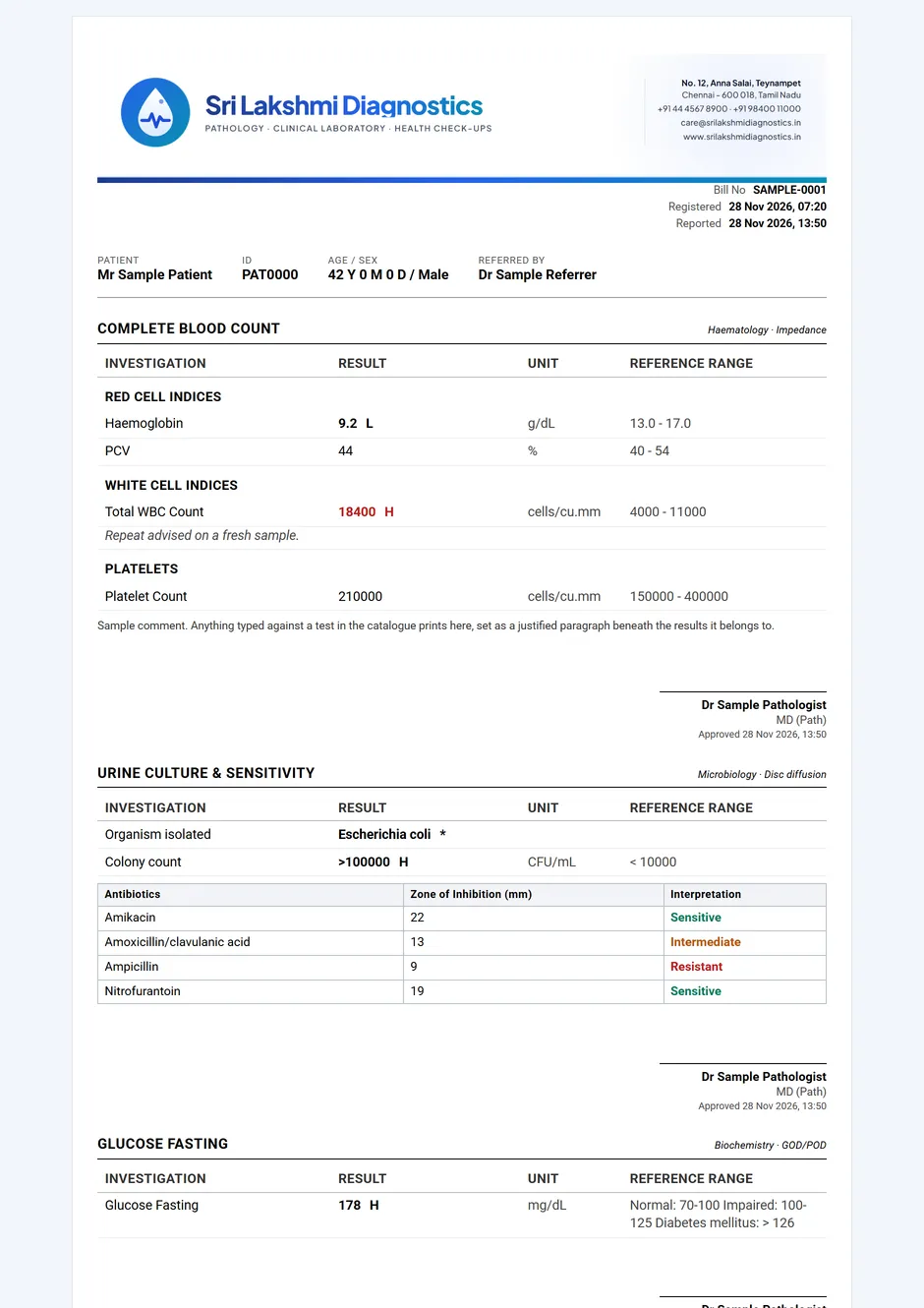
Format 1
Open, lightly ruledOpen and lightly ruled with generous spacing. Department headings, the method beside each test, abnormal values in bold with H/L flags, and a signatory block after every department.
General pathology labs that want a clean, modern report.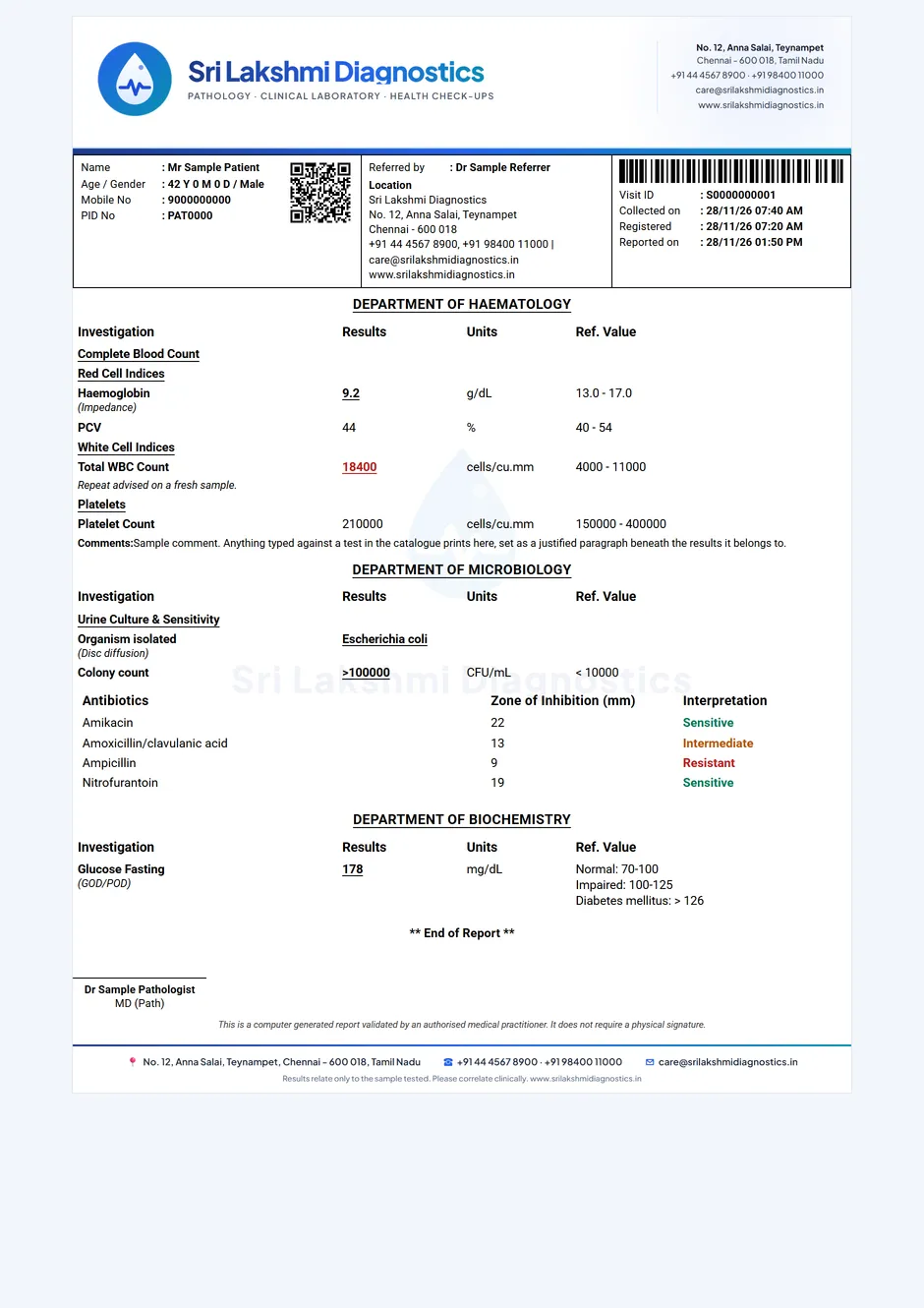
Format 2
Boxed patient panel, ruled tableA boxed patient panel with barcode and QR code, a fully ruled results table and banded section headings. Reads well on plain paper without a letterhead.
Labs printing on plain A4 that want every field boxed and visible.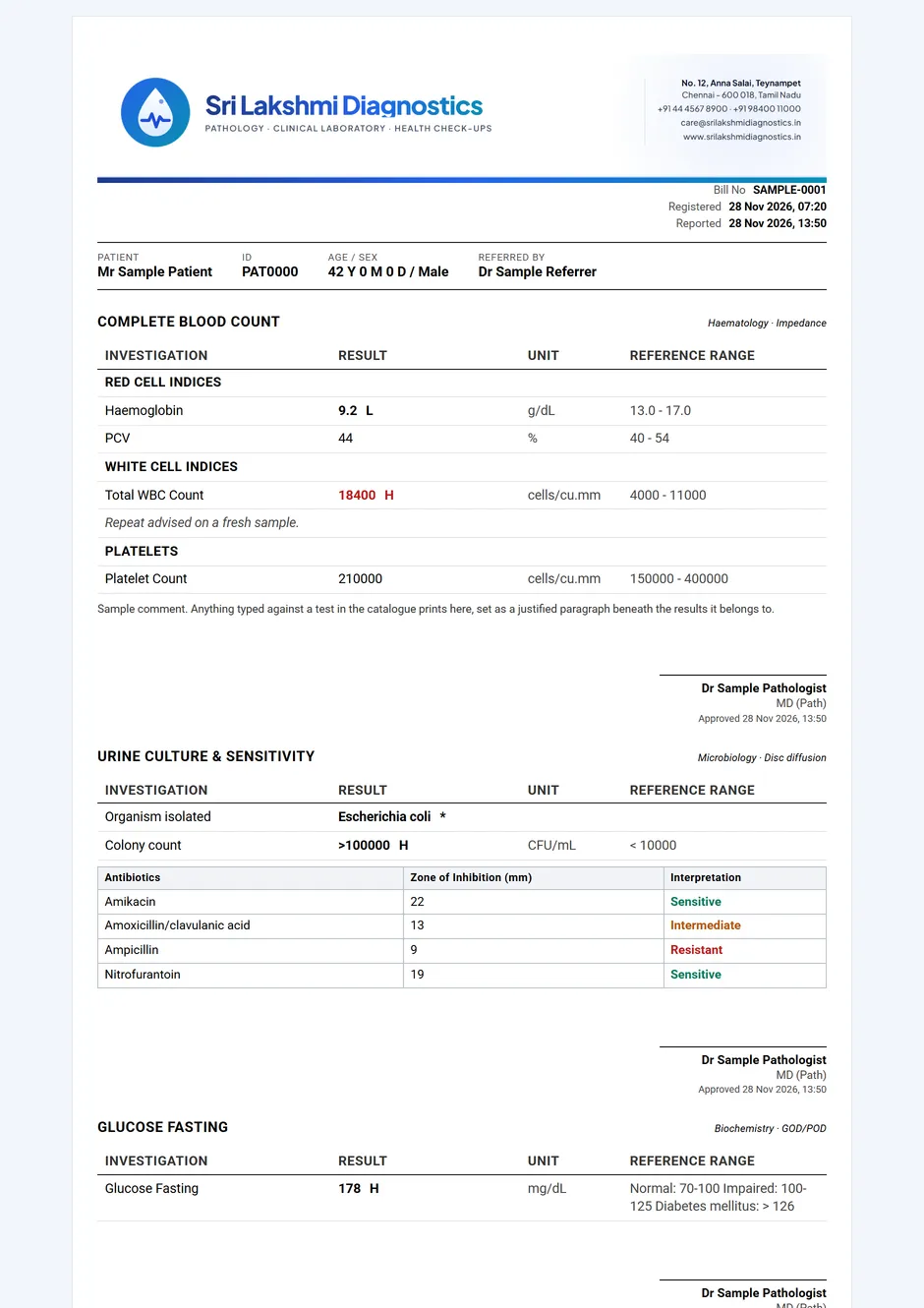
Format 3
Minimal, hairline rulesMinimal: no vertical rules, hairline separators between rows and patient details in two columns. The quietest of the ten.
Diagnostic centres whose brand is understated and whose letterhead does the talking.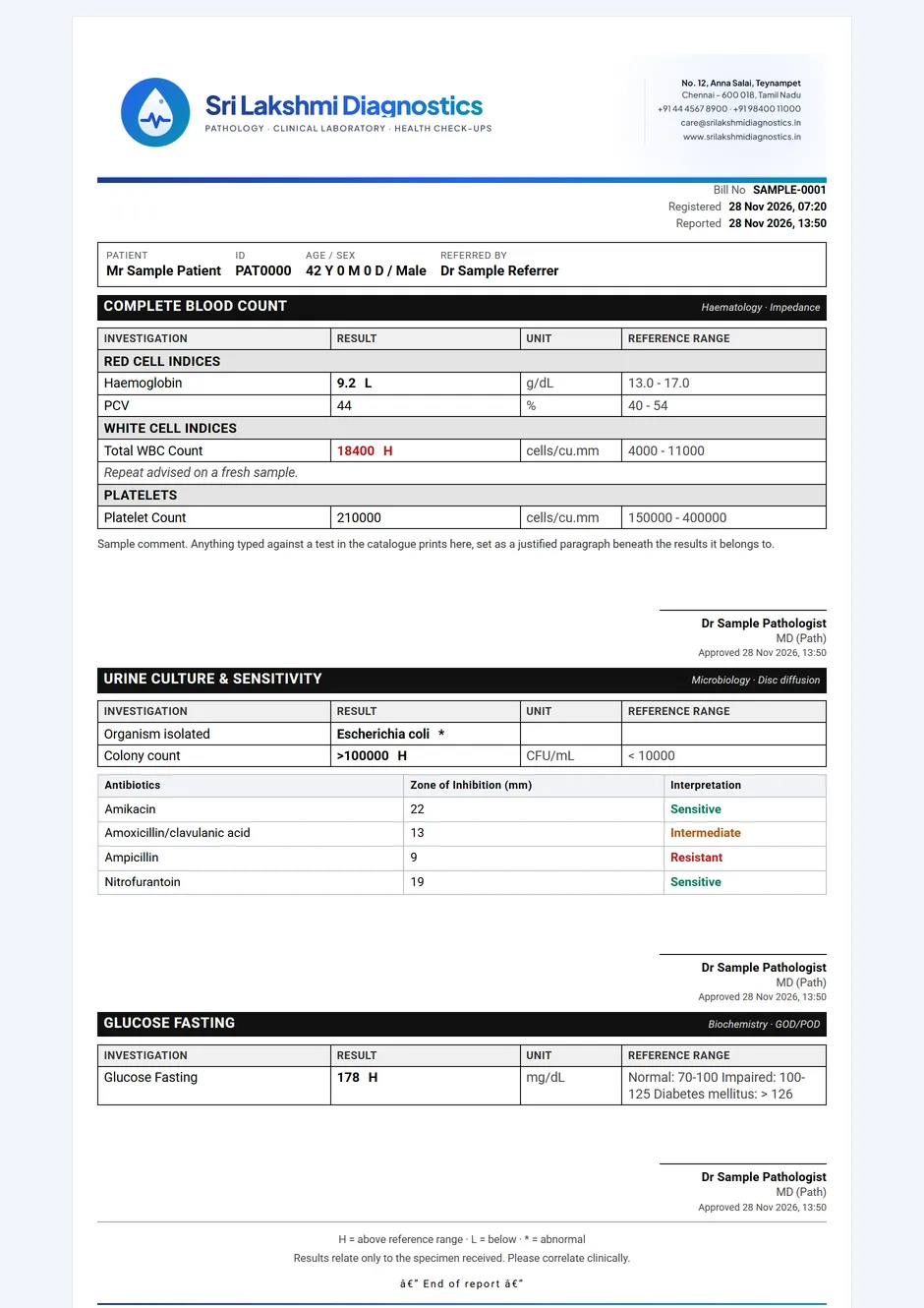
Format 4
Dense, fully borderedDense and fully bordered with uppercase headings. Fits the most results on one page, which keeps long profiles to a single sheet.
High-volume labs printing many-parameter profiles and health check packages.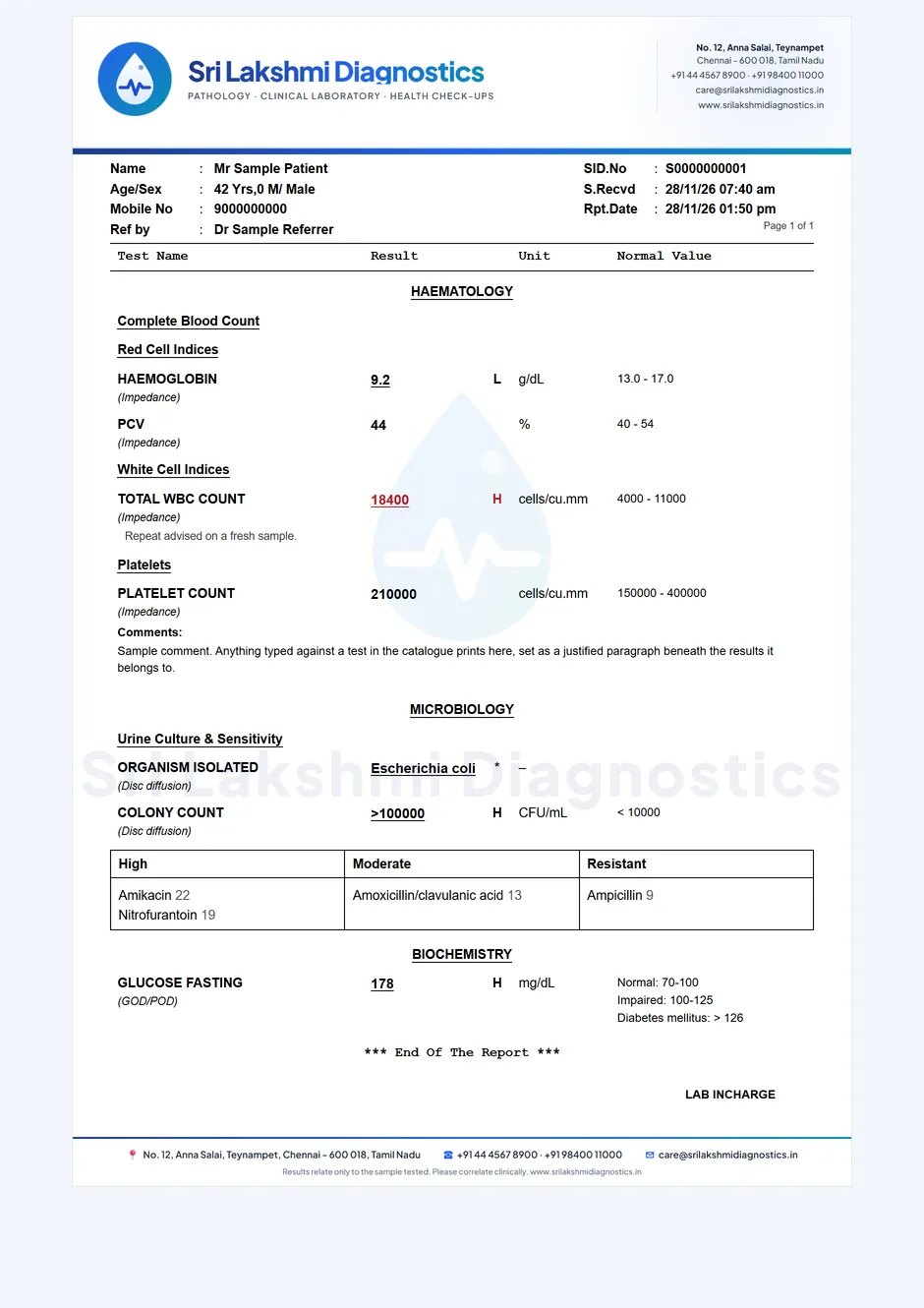
Format 5
Serif, centred title bandsA serif face, centred title bands and a double-ruled patient block. The classic look many established labs have printed for years.
Long-running labs that want their new software to print what their patients already recognise.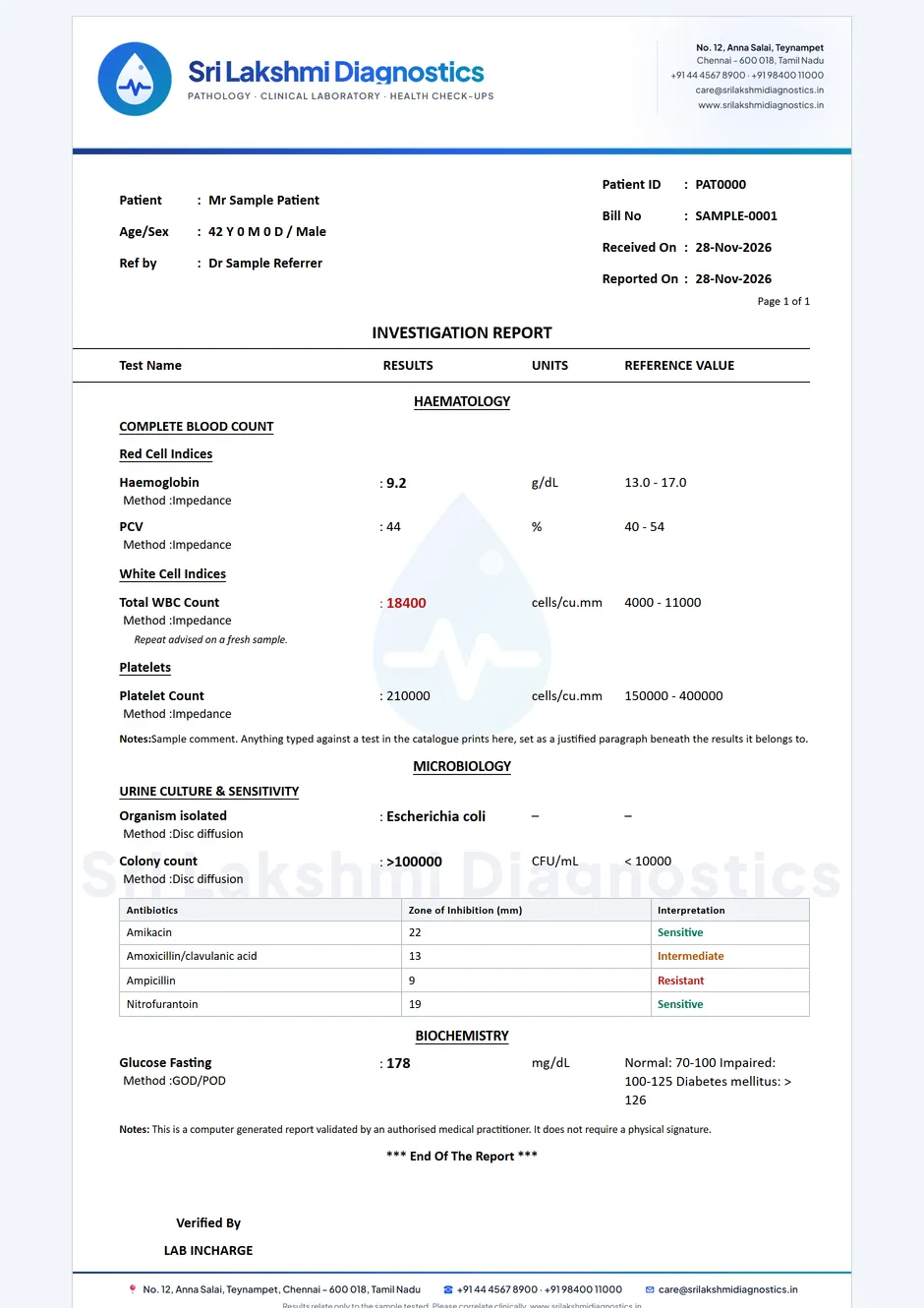
Format 6
Typewriter body, boxed letterheadA typewriter body, a boxed letterhead with twin emblems and a ruled footer band. Every sheet carries the letterhead and the band so a continuation page is never anonymous.
Labs with two emblems to show, such as an accreditation mark beside their own logo.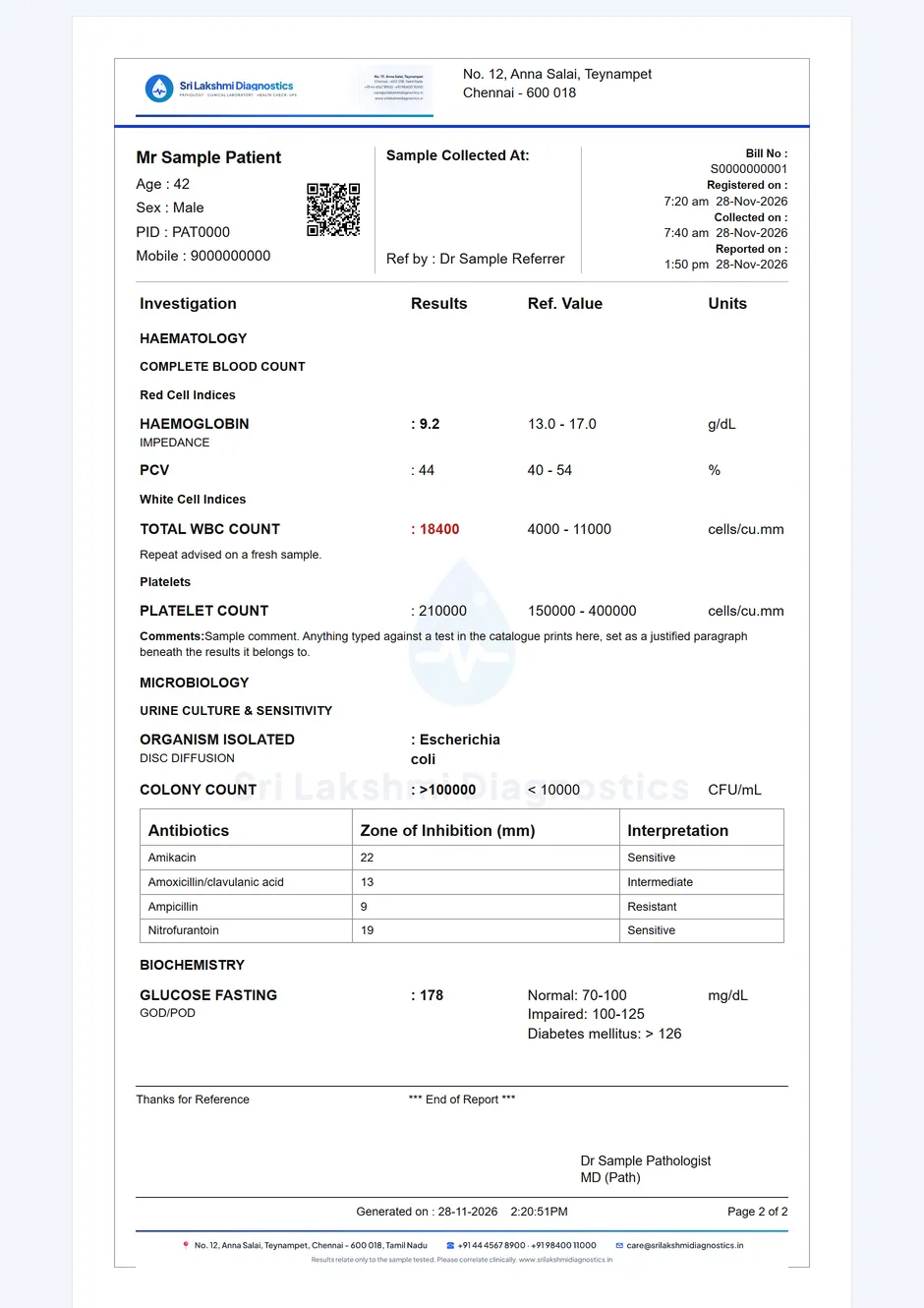
Format 7
Bordered page, blue ruleA bordered page, the logo and address over a blue rule and a three-column patient block with the QR code. The letterhead and patient block repeat on every page.
Multi-page reports where every page must stand on its own.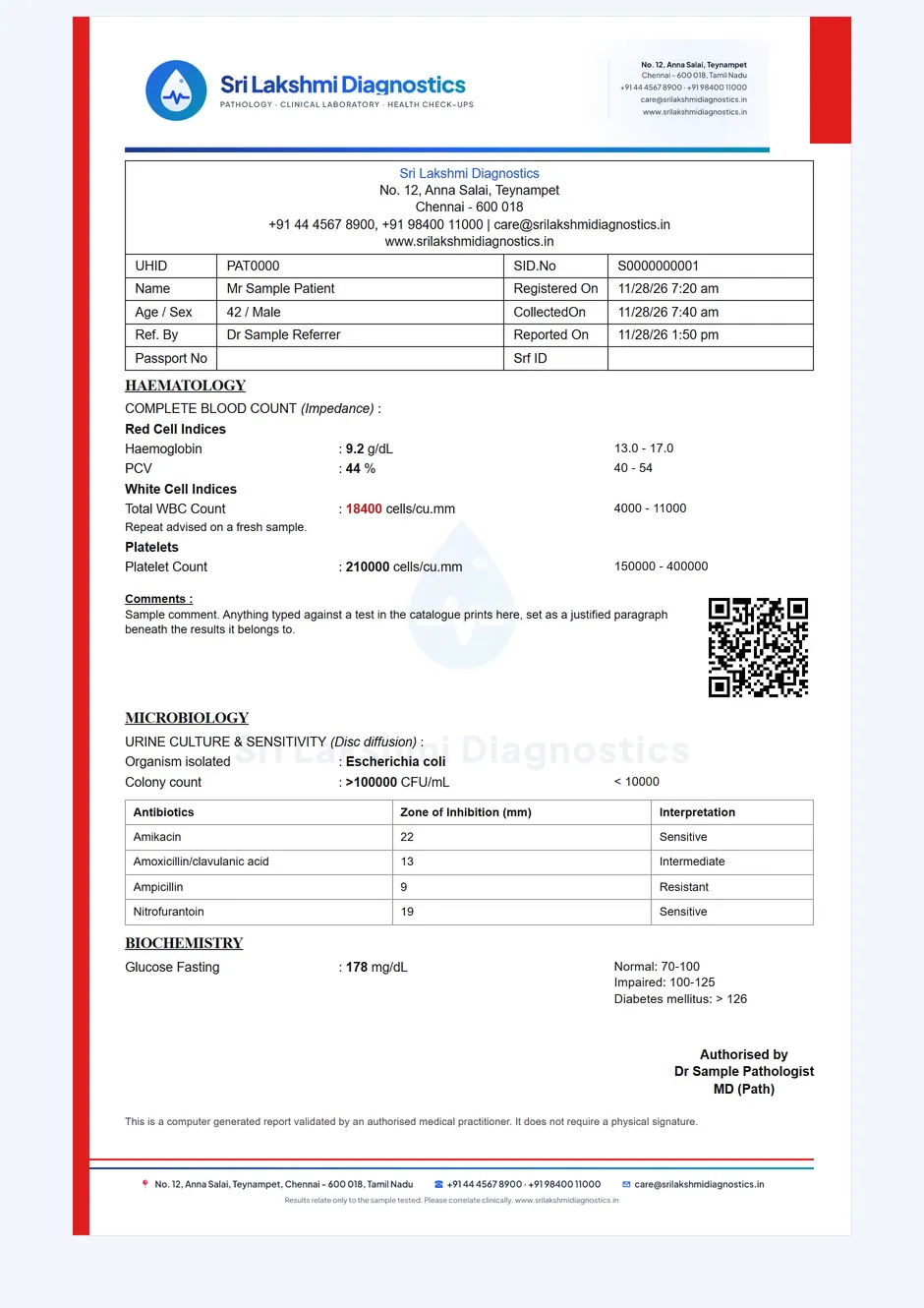
Format 8 (NABL style)
Ruled patient grid, name : value resultsA ruled patient grid under a boxed title, a red edge rule and results set as name : value. Sample type, collection and report times and the authorised signatory are all on the sheet, which is the content ISO 15189 asks a report to carry.
NABL-accredited labs and labs preparing for assessment.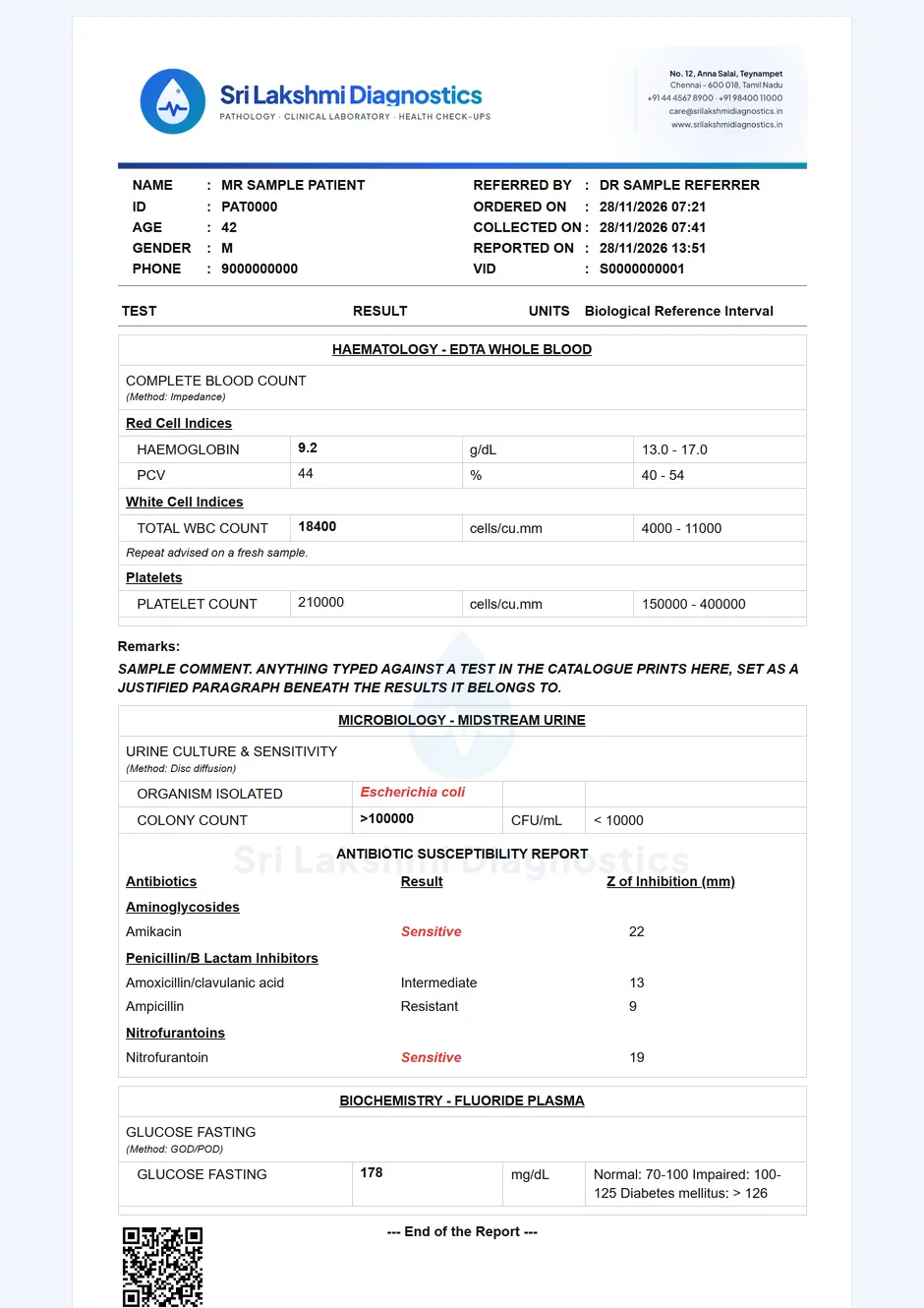
Culture
MicrobiologyBuilt for microbiology: the organism isolated in red, antibiotics grouped by class with Sensitive, Intermediate and Resistant called out, colony count and the signatory on the right.
Culture and sensitivity reports.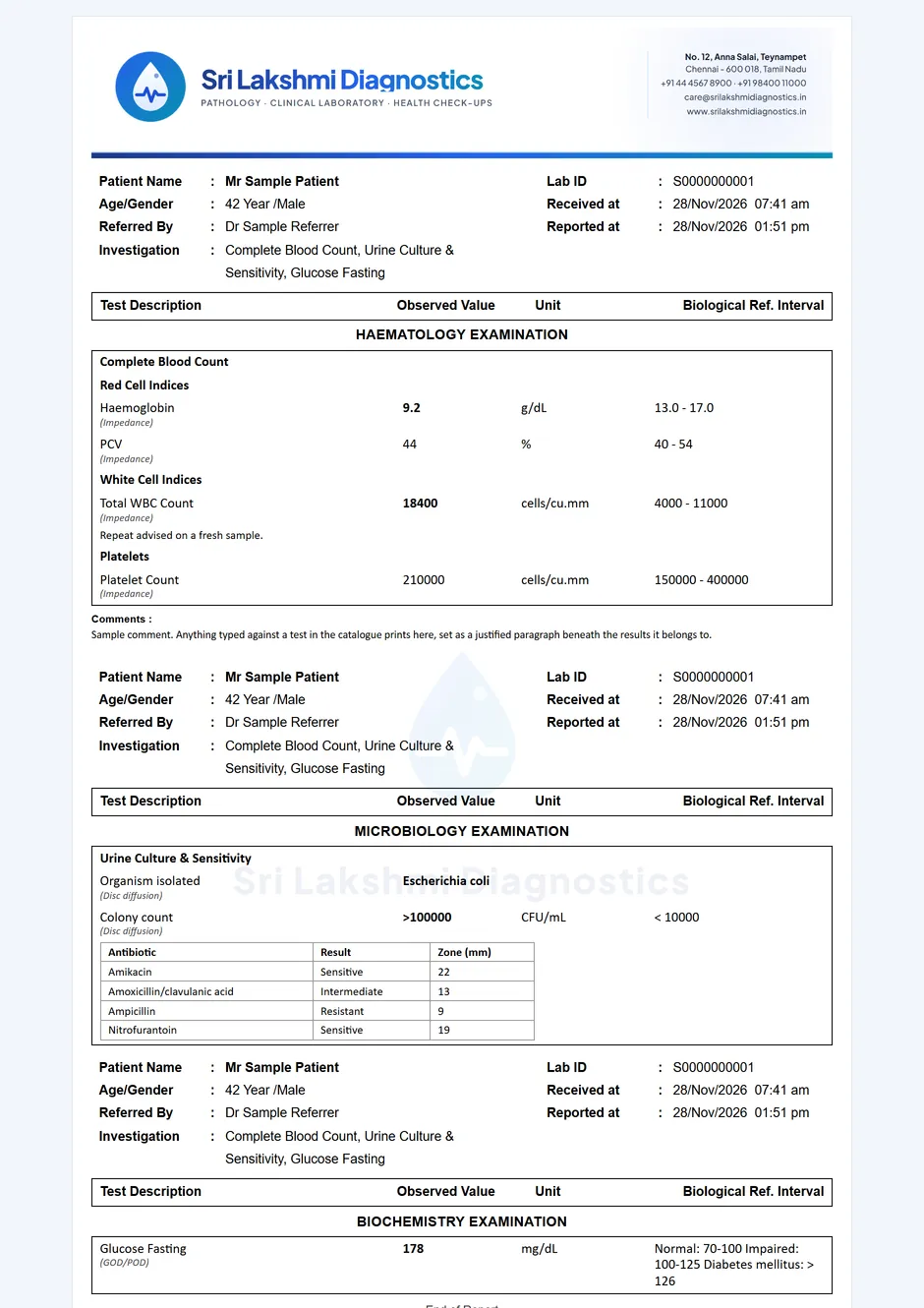
Biochem
Boxed results, one department per pageBoxed results under a "… EXAMINATION" heading, each department on its own page, the QR code and signature above the footer. Observed value, unit and biological reference interval in fixed columns.
Labs that hand each department's report to the patient as a separate sheet.Which bill formats does QLab print?
The counter receipt is separate from the report, with its own logo, heading, signature line and footer message.
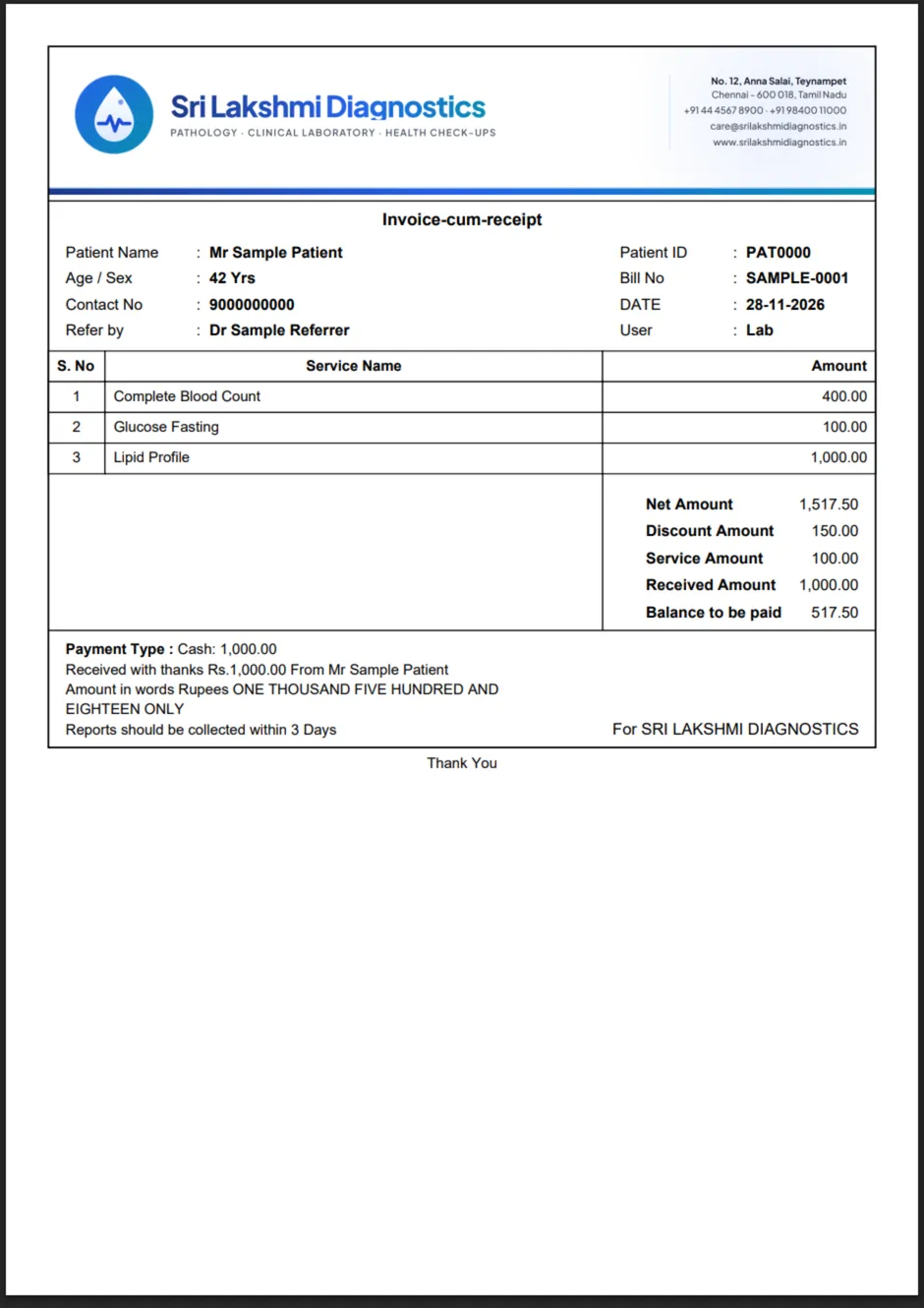
Bill Format 1
One ruled box with a divider down the page, test lines with amounts, net, discount, received and balance, and payment wording at the foot.
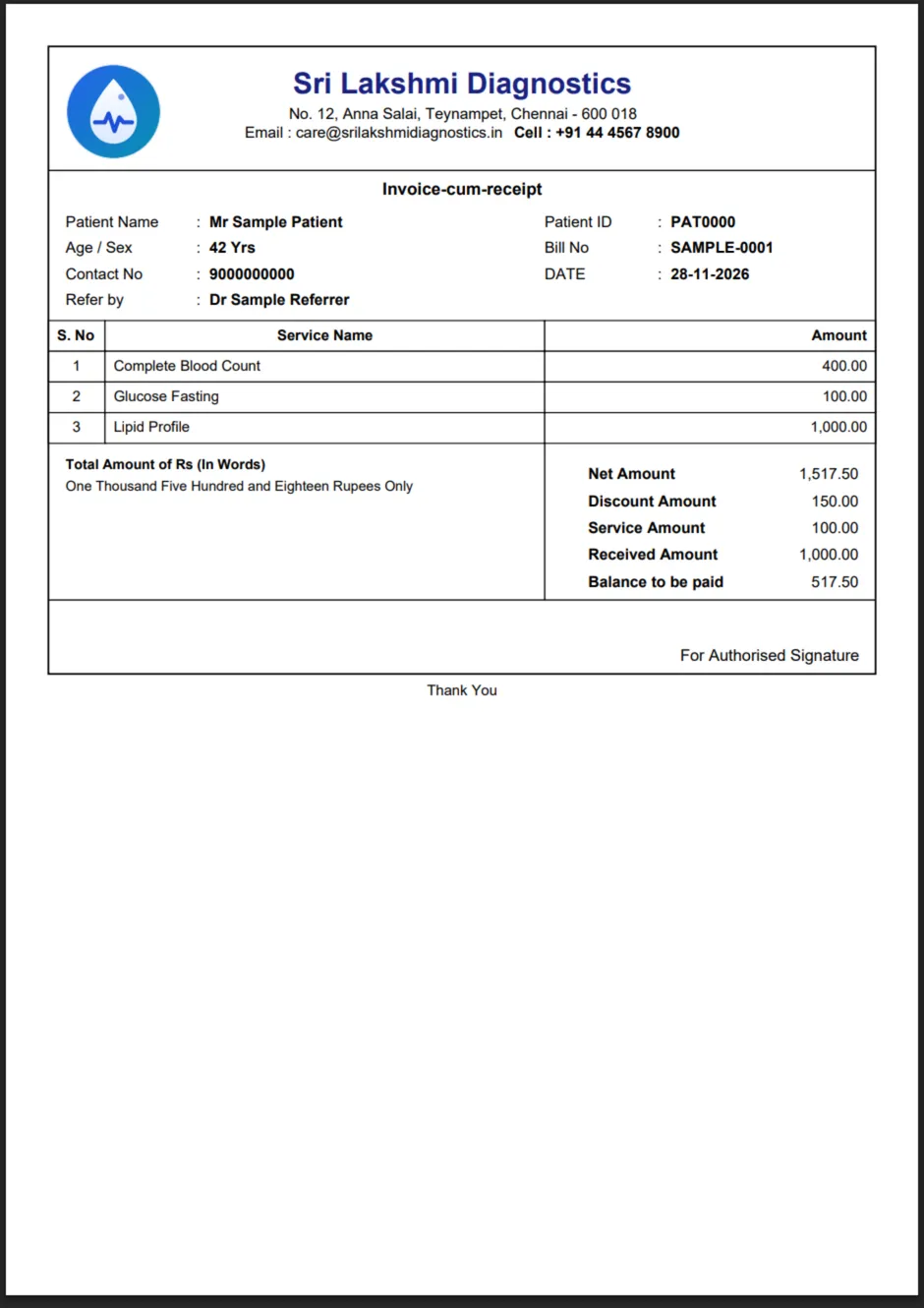
Bill Format 2
The logo beside a centred letterhead, the amount in words, amounts set in blue, and an authorised signature line.
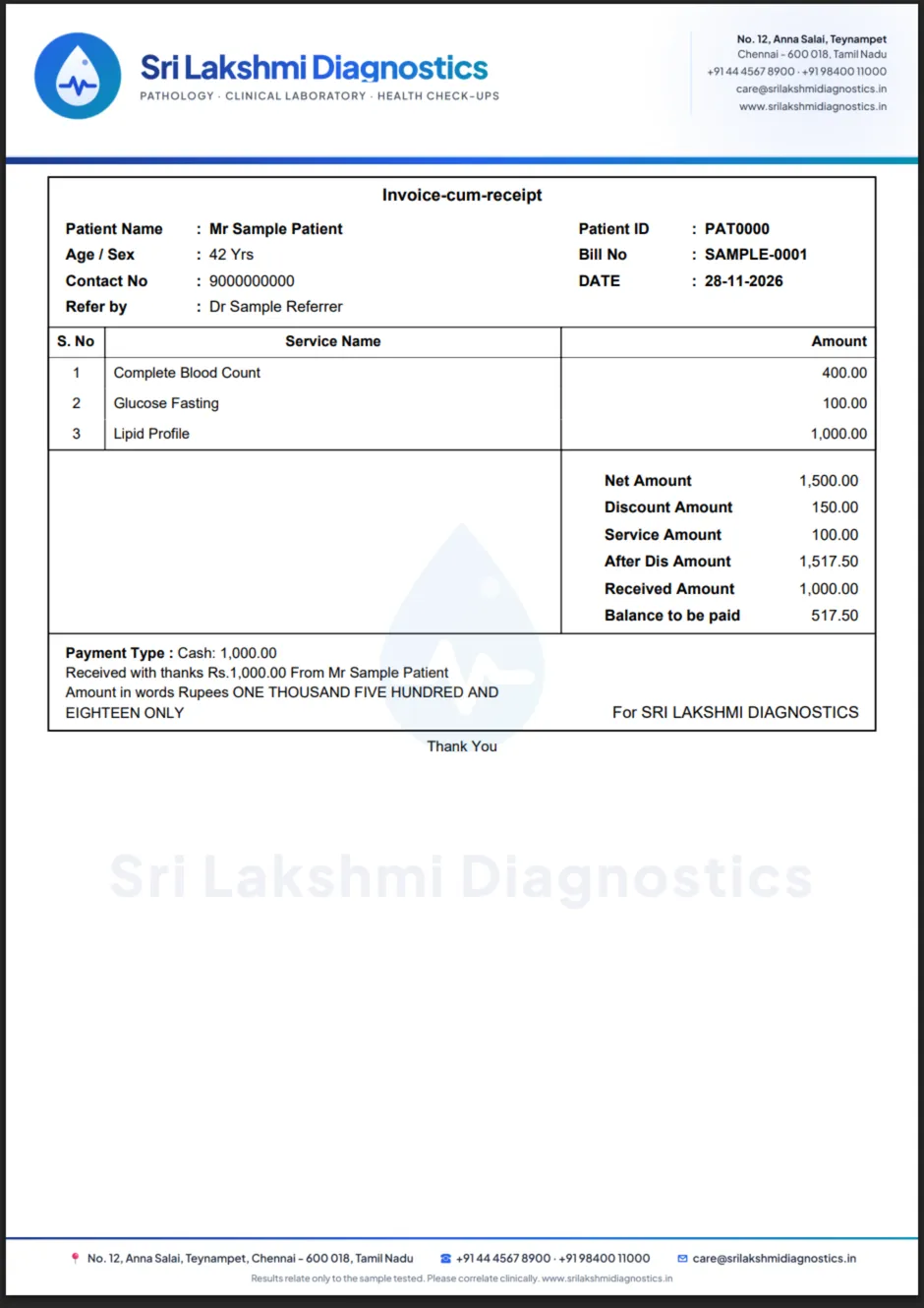
Bill Format 3
Lab name in red beside the logo, Net / Discount / After Discount totals and payment details at the foot. Prints on the report's own letterhead and watermark.
What does every QLab report format include?
Your letterhead or plain paper
Upload a header, footer and watermark, or print on pre-printed stationery with a blank band kept at the top.
Signatures per department
Pathologists and technicians sign their own departments, with an image signature and degree.
QR code and barcode
Every report carries a QR code that opens the original, so a tampered copy is easy to spot.
Abnormal values highlighted
Out-of-range results in bold, underlined or flagged H/L, as the lab prefers.
Age and gender ranges
The reference interval printed is the one that applies to this patient.
Fonts, spacing and margins
Change the font, sizes and spacing with a live preview, and see the change on the sheet as you make it.
A4 or A5, PDF or paper
Print, download as PDF, or send on WhatsApp the moment a report is approved.
Bill formats
Three bill layouts with GST details, amount in words, QR for payment or report lookup, and a footer message.
How do you pick a report format for your lab?
- Start from what you print todayChoose the layout closest to your current report so patients and referring doctors see no jarring change.
- Decide on letterhead or plain paperUpload a header, footer and watermark, or keep a blank band at the top for pre-printed stationery.
- Set the patient blockPick the design, the fields to show, the labels and the font size, and watch the sheet update as you type.
- Add signatoriesEach pathologist signs their own department with an image signature, degree and caption.
- Print a sample, then go livePrint one real report on your paper, adjust margins if the printer needs it, and save.
Accredited labs: see NABL lab software for the records behind Format 8. Want to see the designer itself? Watch the two-minute demo video.
Report formats: questions
How many report formats does QLab have?
QLab prints pathology reports in 10 layouts and bills in 3 formats. Every layout prints the same results; what changes is how the page is set: rules, boxes, fonts, where the patient block and signatures sit. All are shown on this page as real renders of the application's preview.
Can QLab match my lab's existing report format?
In most cases, yes. Pick the layout closest to your current report, upload your letterhead or print on pre-printed paper, then adjust fonts, spacing, margins, patient fields and signatures with the live preview. Qubha does this with you during setup.
Is there a NABL report format?
Yes. Format 8 is drawn for accredited labs: a ruled patient grid with sample type, collection and reporting times, results as name : value with units, biological reference intervals and the method, and the authorised signatory. See the NABL lab software page for the records behind it.
Do reports carry a QR code?
Yes. Every format carries a QR code that opens the original report, and a barcode with the sample number, so a tampered or forged copy is easy to spot.
Can the report be sent as PDF or on WhatsApp?
Yes. Reports and bills download as PDF and are sent to the patient and the referring doctor on WhatsApp the moment they are approved. The same format prints on paper, A4 or A5.
Does the bill have its own format?
Yes. Three bill formats are available, separate from the report: boxed with payment wording, logo beside a centred letterhead with the amount in words, or the lab name in red on the report's own stationery. GST details, QR code and a footer message are optional on all three.
See your own report in every format
Send us a report you print today; we set it up in QLab and show it to you on a video call.