Lab management software that runs the whole lab, not just reports
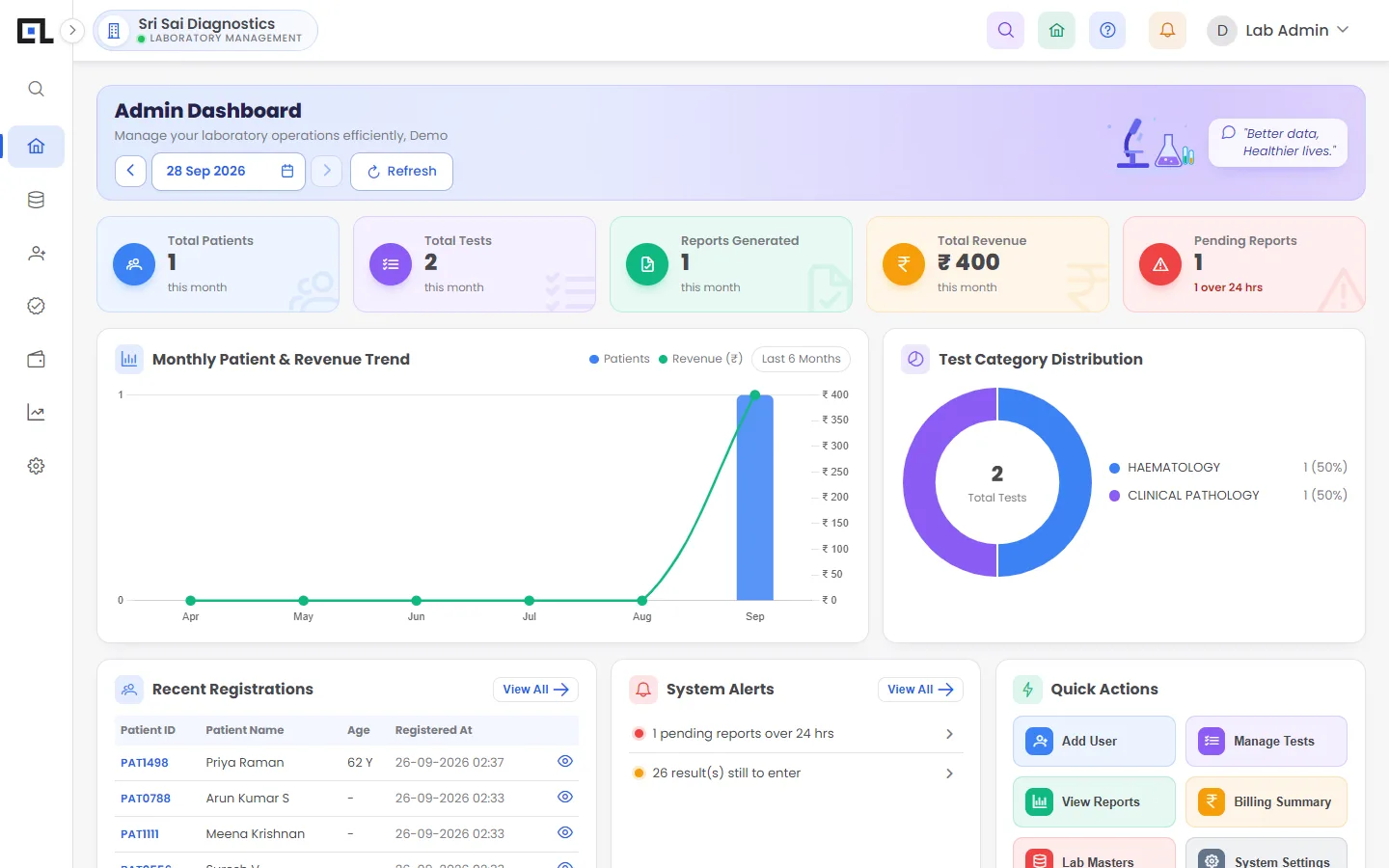
QLab lab management software manages every part of a diagnostic laboratory in one system: front desk billing, home collection, barcode samples, department worklists, approvals, reports, WhatsApp delivery, referrer commissions, branches, staff roles, expenses and accounts. Owners see revenue, pending reports and dues live on a dashboard, from any device.
Most labs start with report software and bolt on Excel for everything else. QLab treats the lab as a business: money, people and samples in the same place.
Updated 2026-11-21
What problems does lab management software solve?
Data in five places
Bills in one tool, reports in Word, accounts in Excel, commissions in a notebook.
No view for the owner
Revenue, pending reports and dues are known only at day end.
Staff mistakes
Anyone can edit anything; there is no approval step.
Growing to branches
A second centre means a second, disconnected system.
How does QLab help?
Live dashboards
Admin, reception and accounts dashboards with today’s numbers.
Roles and approvals
Each user sees only their screens; reports need approval.
Accounts built in
Collections, outstanding, expenses, ledgers, GST report.
Branches and centres
One account, branch-wise numbering and reports.
Home collection
Requests, staff assignment and conversion to bills.
Outsourcing
Track samples sent to partner labs and report them as yours.
Old way vs QLab: what changes?
| Task | Registers / Excel / old software | With QLab |
|---|---|---|
| Daily revenue | Counted at closing | Live on the dashboard |
| Pending reports | Asked from the lab | Listed with age in hours |
| Expenses | Separate Excel sheet | Recorded by category in QLab |
| Staff access | Shared login | Role-based permissions |
| New branch | New software or file | Add a branch in settings |
How do you get started with QLab?
- Map your workflowWe note your departments, branches, referrers and report format.
- ConfigureRoles, number series, rate lists and letterhead are set up for you.
- MigrateOld tests, patients and referrers are brought in.
- Run and growAdd branches, users and tests as you grow.
Cloud or offline?
QLab Cloud
Open in any browser or the Android app. No installation, daily backups, every branch in one account.
Cloud lab softwareQLab Offline
Installed on your own computer. Billing, barcodes, results and printing keep running with no internet.
Offline lab softwareFrequently asked questions
What is lab management software?
Lab management software is a system that runs the operations of a laboratory — patient registration, billing, samples, results, reports, staff and accounts — in one place. For diagnostic labs it is often called a laboratory information system (LIS). QLab is lab management software built for Indian pathology and diagnostic labs.
Is lab management software the same as LIS?
They overlap. LIS usually means the sample-to-report workflow; lab management software also covers the business side — billing, accounts, branches and staff. QLab does both.
Can I use QLab on mobile?
Yes. QLab works in any phone browser and has an Android app, with screens designed for phones: dashboards, registration and result entry.
Lab Management Software in Tamil Nadu districts
Other software
See QLab running on your own tests
Free 30-minute demo over video call or at your lab. Setup, data migration and training are included in every plan.