Result entry that flags abnormal values for you
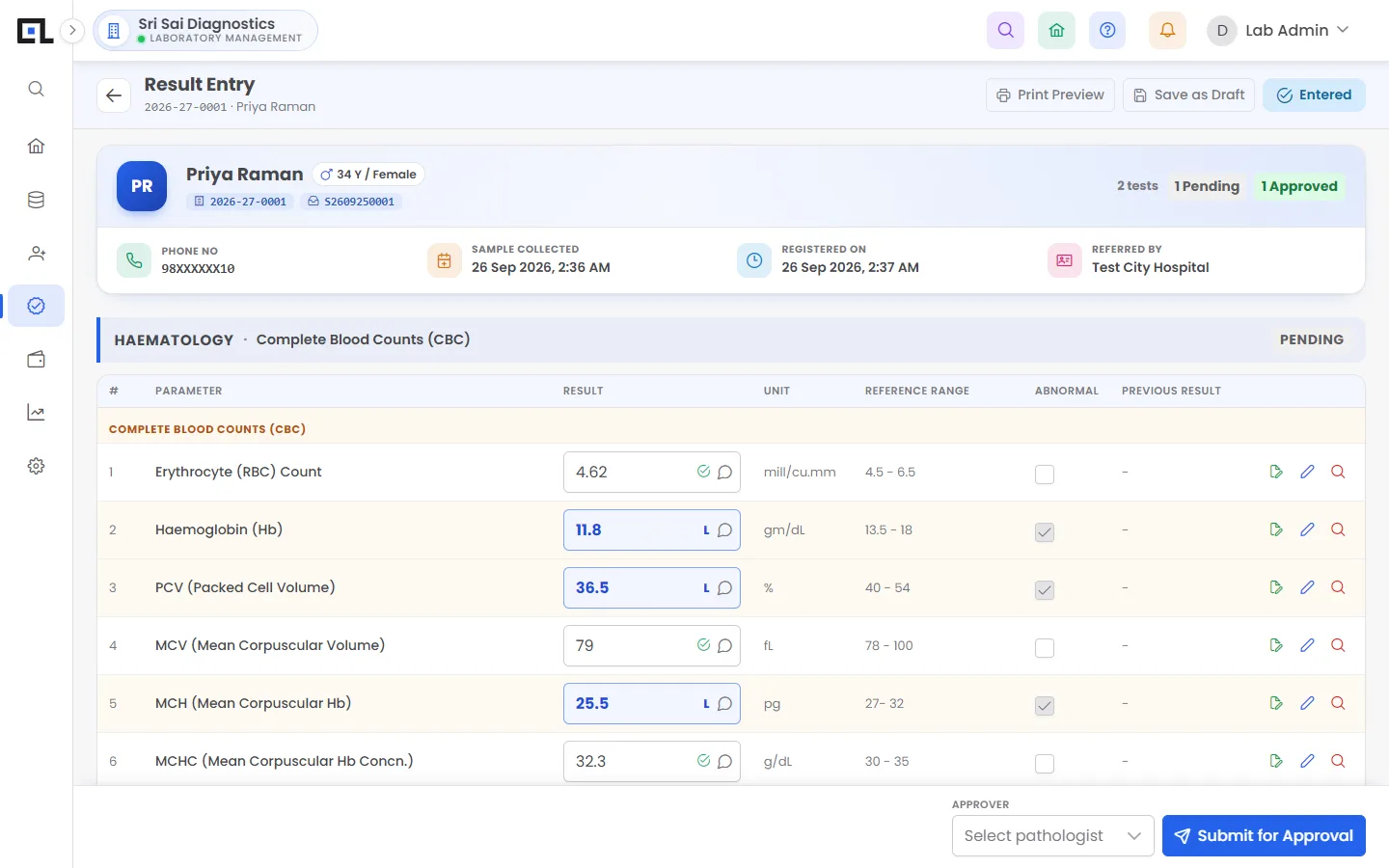
QLab gives each department a worklist of pending samples. Technicians enter values and QLab applies age- and gender-specific reference ranges, flags High and Low results, calculates formula parameters such as LDL, VLDL and A/G ratio, and shows the patient’s previous result beside each value before sending it for approval.
Updated 2026-11-21
What can you do with QLab worklist & result entry?
Department worklists
Haematology, biochemistry, serology, clinical pathology, microbiology — each sees its own pending list.
Test-wise pending
See every pending sample for one test, ideal for batch runs on an analyser.
Reference ranges by age & gender
Ranges for children, adults, male and female are applied automatically.
Automatic flags
Values outside range are marked High or Low and highlighted on the report.
Formula parameters
LDL, VLDL, A/G ratio, globulin, blood indices and your own formulas fill in by themselves.
Previous results
Delta check against the patient’s last value, right on the entry screen.
Comments & drafts
Per-test comments and saved drafts for long reports such as culture or histopathology.
Frequently asked questions
Can I add my own calculated parameters?
Yes. The formula master lets you define a parameter from other parameters, and QLab computes it during result entry.
Does QLab support descriptive reports like histopathology?
Yes. Tests can have free-text or template-based results with formatting, alongside normal numeric parameters.
See QLab running on your own tests
Free 30-minute demo over video call or at your lab. Setup, data migration and training are included in every plan.